





- Artwork Requirements
- Design Time Vs Production Time Policy
- Free Design Policy
- How to Create Sign Designs Using AI
- Creating Sign Designs with Freelancers
- Why Not Use Canva for Sign Design
- Creating Advertising Designs with AI: Using the “In the Style Of” Method
- How to Write a Good AI Prompt for Advertising Design
Why “Beautiful” Doesn’t Mean “Ready for Print”
Modern AI tools can generate stunning designs in seconds — clean layouts, strong typography, and impressive visual compositions.
But there’s one major issue we see all the time:
AI completely ignores real-world dimensions.
As a result:
- proportions don’t match actual sizes
- panels don’t align
- text may fall into seams or edges
- files are not ready for printing
This is exactly what happened with the Van City Home Team booth layout — visually great, but technically not production-ready.
The Core Problem with AI Layouts
AI does NOT account for:
- actual dimensions (inches, feet, mm)
- panel splits and seams
- bleed and safe areas
- print scaling requirements
So even a perfect-looking design still requires proper preparation before printing.
Correct Approach (What Has Been Done)
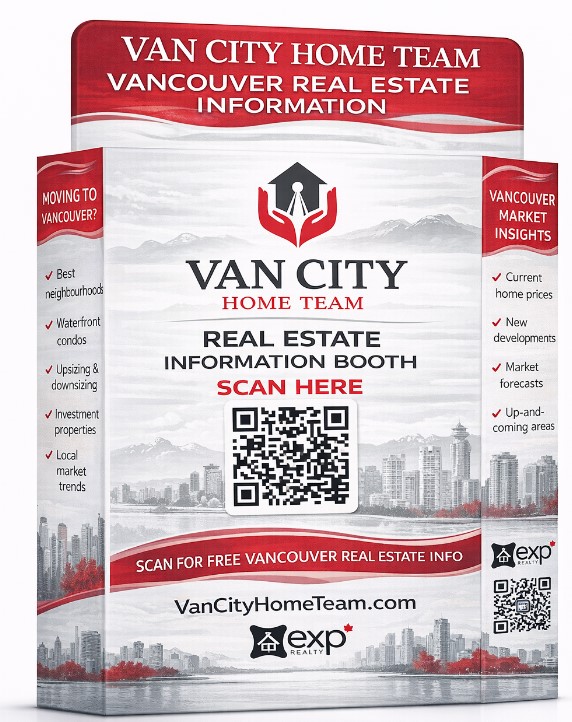
The layout was handled correctly so far:
- split into 4 panels
- each panel adjusted to approximate size
- overall composition preserved
This is the right direction — but it is still not final.
Two Ways to Finalize the Layout
Option 1 — “Acceptable Quality” (Fast & Budget-Friendly)
Best for:
- temporary setups
- small projects
- tight budgets
Process:
- AI generates layout parts (as already done)
- In Photoshop:
- adjust logos
- align text
- fix panel transitions
- insert QR codes properly
- correct colors
Result:
- looks good visually
- acceptable for print
- but:
- remains raster-based
- may lose sharpness at large scale
Typical freelancer cost: $10–30
Turnaround: fast
Option 2 — “High Quality” (Professional Production Standard)
Best for:
- trade shows
- branded environments
- high-end signage
- reusable designs
Process:
- AI generates layout parts
- Each part is:
- vectorized in Illustrator
- Full rebuild:
- precise dimensions
- bleed and safe zones
- perfect panel alignment
- clean typography
- Final output:
- print-ready PDF
- correct color mode (CMYK)
- production-checked files
Result:
- sharp, scalable design
- fully production-ready
- no quality loss
Typical freelancer cost: $50–100
Turnaround: longer
Why You Can’t Print AI Files “As Is”
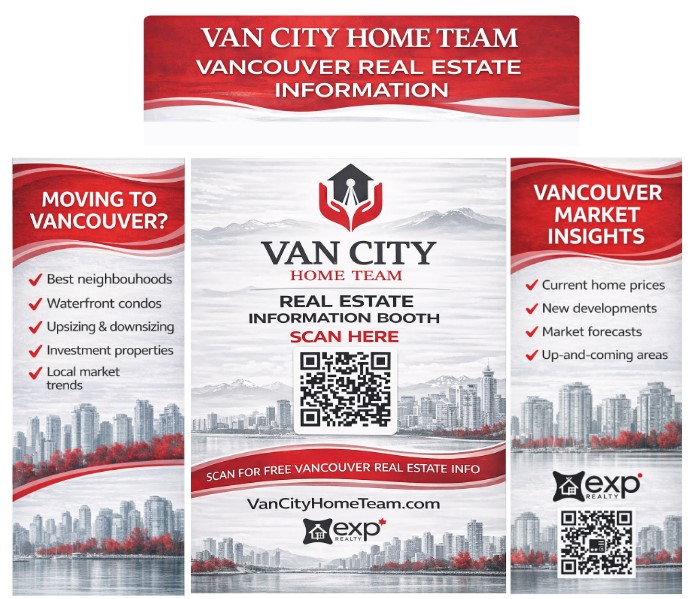
Because:
- QR codes may not scan
- text may fall into seams
- logos lose sharpness
- visible artifacts appear in print
This is especially critical for:
- trade show booths
- SEG fabric lightboxes
- large banners
- vehicle wraps
Our Design Policy
Please refer to our guidelines: https://www.
We provide free basic layout adjustments only, such as:
- name changes
- phone number updates
- simple text edits
We do not offer paid design services.
For complex AI-generated layouts:
- clients can finalize files themselves
- or hire a freelancer/designer if needed
Final Thoughts
AI is an excellent tool for concept creation.
But professional preparation is always required for printing.
In this case:
Layout split into panels — correct
Base structure is ready
Final step still required:
- Photoshop cleanup (quick option)
- or
- Full vector rebuild (proper option)
Recommendation
- For temporary or budget projects → Option 1
- For branding, exhibitions, long-term use → Option 2
If needed, we can:
- review your files before printing
- advise on correct dimensions and materials
- ensure everything prints correctly on our equipment
- Artwork Requirements
- Design Time Vs Production Time Policy
- Free Design Policy
- How to Create Sign Designs Using AI
- Creating Sign Designs with Freelancers
- Why Not Use Canva for Sign Design
- Creating Advertising Designs with AI: Using the “In the Style Of” Method
- How to Write a Good AI Prompt for Advertising Design